How to Use IPTV Expert App on Android – Complete Setup Guide
This guide explains how to install and use IPTV Smarters Expert on Android devices using the Google Play Store and the manual setup method.
If you want a simple way to activate the app, enter your IPTV credentials, and start streaming, this tutorial walks you through the full process step by step.
What Is IPTV Smarters Expert?
IPTV Smarters Expert is an IPTV player designed for streaming live TV, movies, and series using:
Xtream Codes login
M3U playlists
The app works as a media player only. Your content appears after you add your IPTV account
What You Need to Get Started
To use IPTV Smarters Expert, simply enter your subscription details:
Username – provided with your subscription
Password – provided with your subscription
Host (Server URL) – provided with your subscription
Once these details are added, your channels and content will load automatically.
Install IPTV Smarters Expert from Google Play Store
1. Open Google Play Store on your Android device.
2. Search for IPTV Smarters Expert.
3. Select the app from the results.
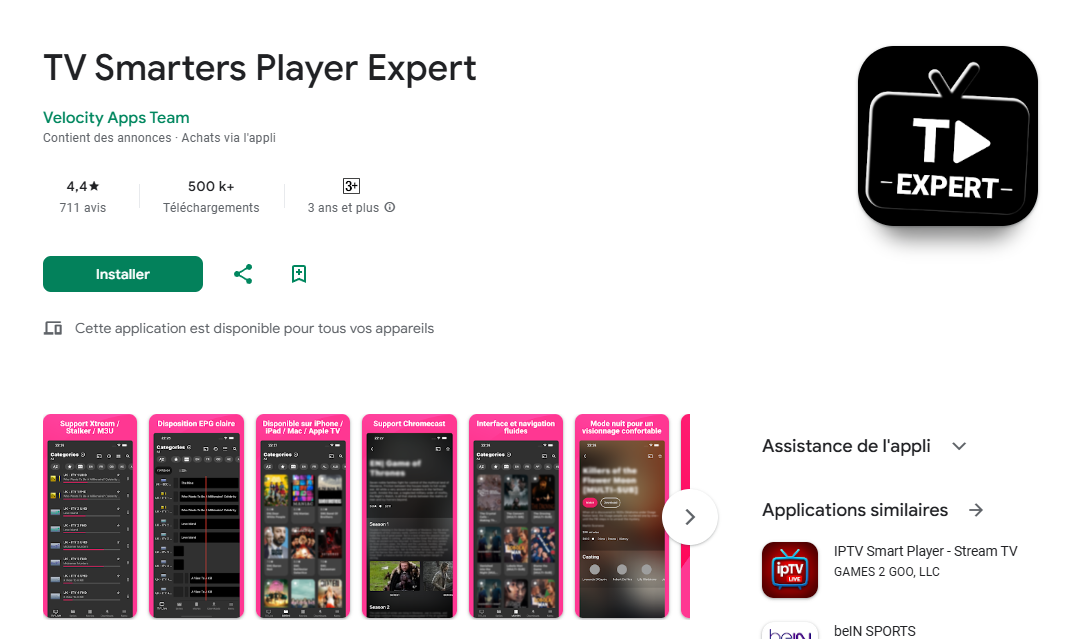
4. Tap Install.
5. Wait until the installation is complete.
Once installed, open the app and enter your subscription details (Username, Password, Host) to start streaming.
IPTV Expert App Setup
1. Open the IPTV Expert app.
2. When the payment screen appears, skip it — the free version is enough to use the service.
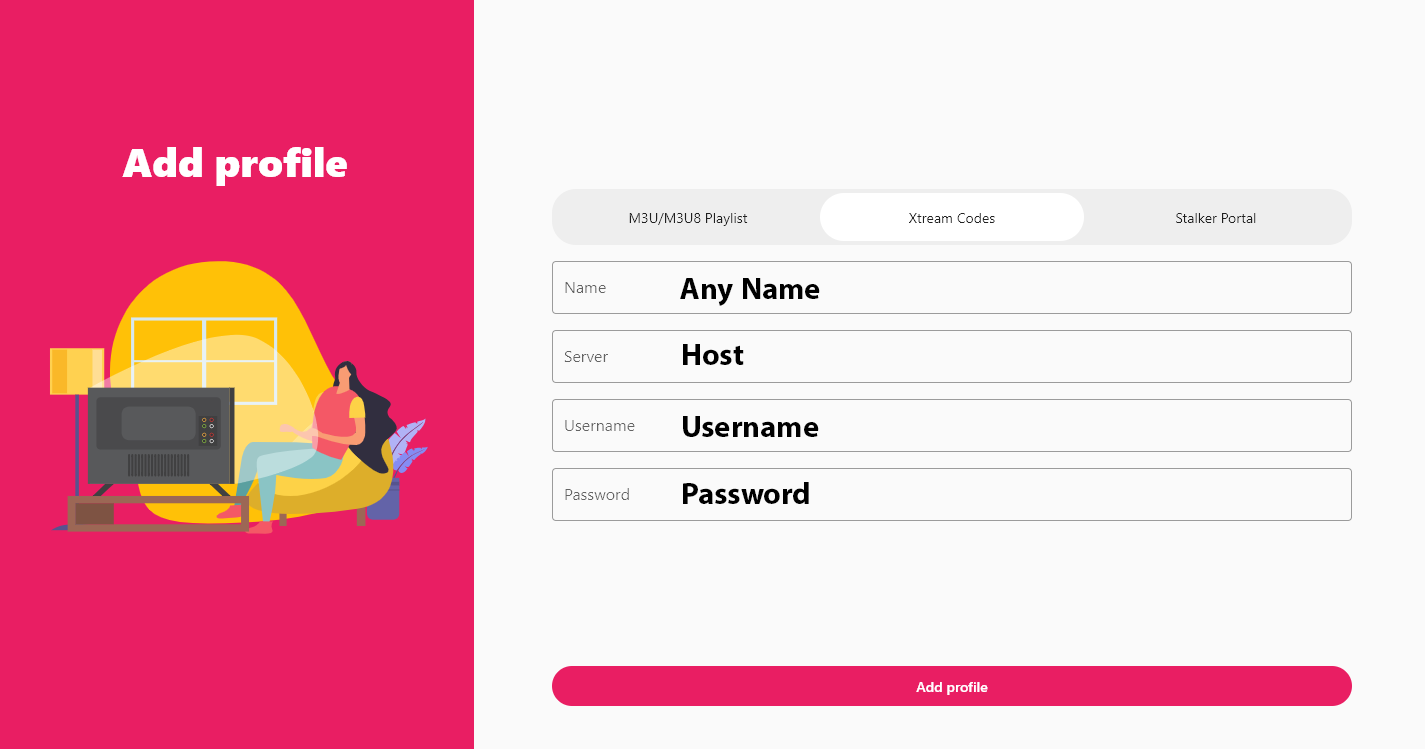
3. Enter your subscription details exactly as follows:
Name: Any name (your choice)
Server: Your Portal URL (host)
Username: Provided with your subscription
Password: Provided with your subscription
4. Click Add Profile.
Wait a few seconds while your channel list loads and start watching.