How to Install SmartOne IPTV on Hisense Smart TV (Complete Setup Guide)
Step 1 – Download SmartOne IPTV on Hisense Smart TV
1. Turn on your Hisense Smart TV.
2. Open the VIDAA App Store.
3. Use the search bar and type SmartOne IPTV.
4. Select the app and click Install.
5. Wait for the installation to finish.
 The SmartOne IPTV app is now installed on your Hisense TV.
Step 2 – Launch SmartOne IPTV and Get Your MAC Address
1. Open SmartOne IPTV on your TV.
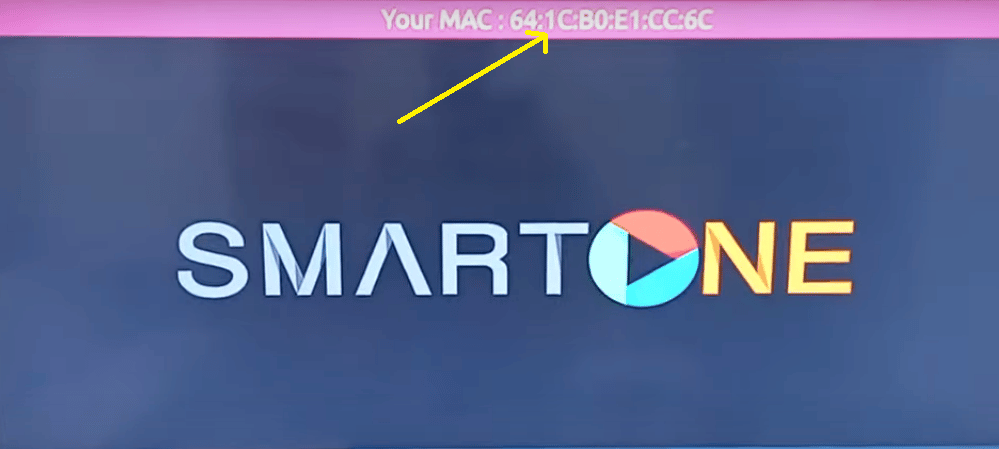
2. At the first launch, the app will display:
- Your MAC Address
3. Write them down — you will need them for activation.
Add Playlist Using SmartOne Generator
1. Go to: https://www.smartone-iptv.com/plugin/smart_one/main_generate
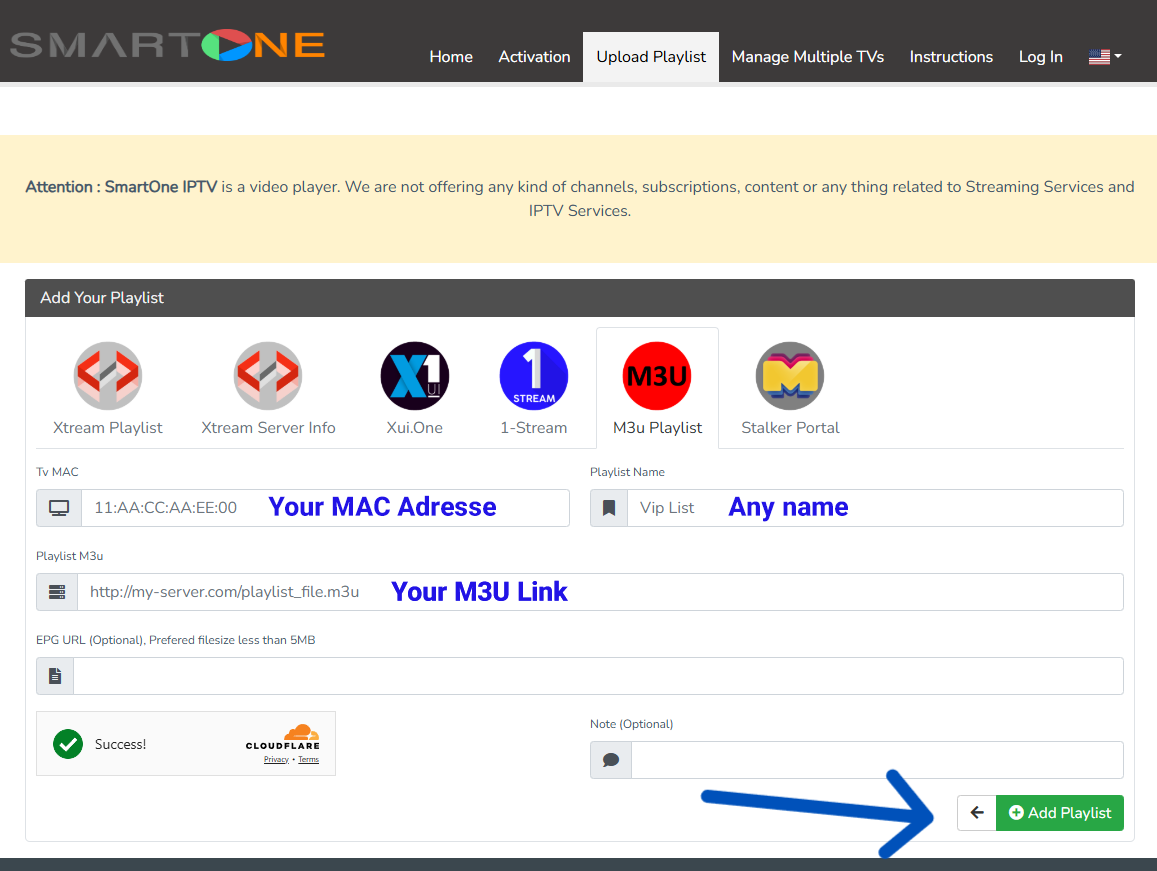
2. Enter your MAC Address.
3. Choose a playlist name.
4. Paste your M3U URL.
5. Click Add Playlist.
Step 5 – Start Watching on Hisense TV
- Go back to SmartOne IPTV on your Hisense TV.
- Restart the app.
- Your channels and VOD content will now load.
 You are now ready to enjoy SmartOne IPTV on Hisense Smart TV.
Common SmartOne IPTV Problems & Fixes
 SmartOne IPTV not working
 SmartOne IPTV not working
- Restart the app and TV.
- Check your internet connection.
Playlist not loading
- Make sure your M3U URL is correct.
- Re-upload your playlist using the generator.
SmartOne IPTV not loading channels
- Wait a few seconds after restarting the app.
- Clear app cache if available.