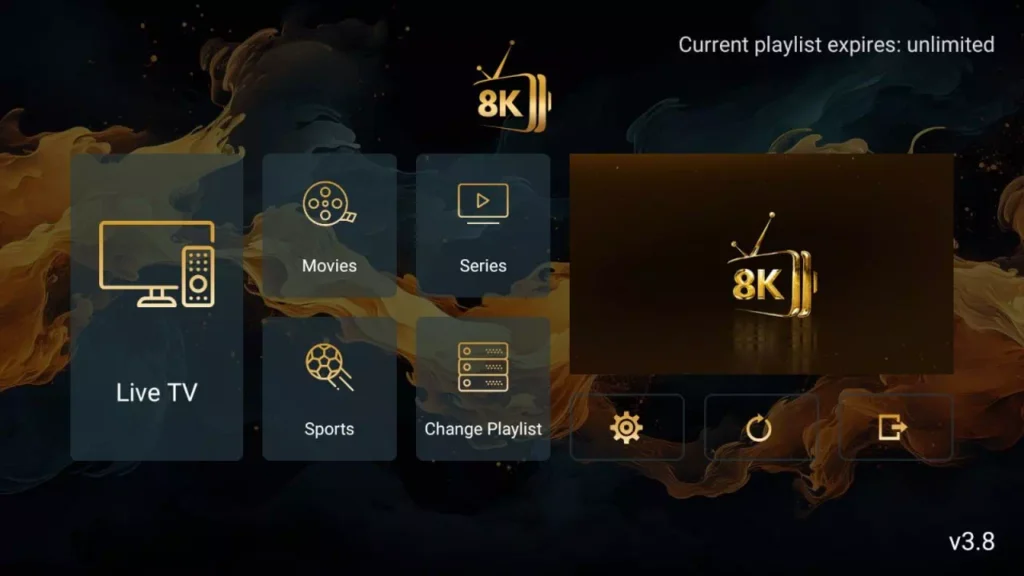
How to Install 8K Player VIP on Fire TV Stick

This updated guide explains how to install 8K Player VIP on Fire TV Stick and other compatible devices in a safe and simple way. The steps also work for Fire TV, Android TV, Google TV, and Chromecast.

If you want a fast and stable 8K IPTV player, this tutorial walks you through the full setup — from preparing your device to installing and configuring the app in just a few minutes.

Step 1 – Prepare Fire TV Stick for Installation

Before installing 8K Player VIP, you must first install the Downloader tool. This app allows you to safely install external APK files.

Install Downloader

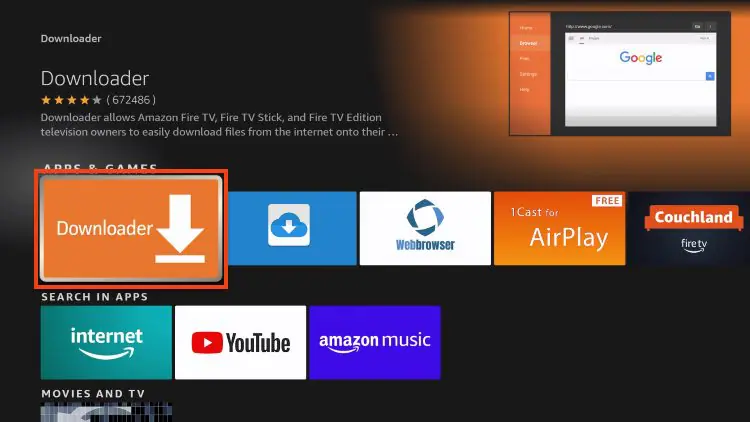
1. From the Fire TV home screen, open Search
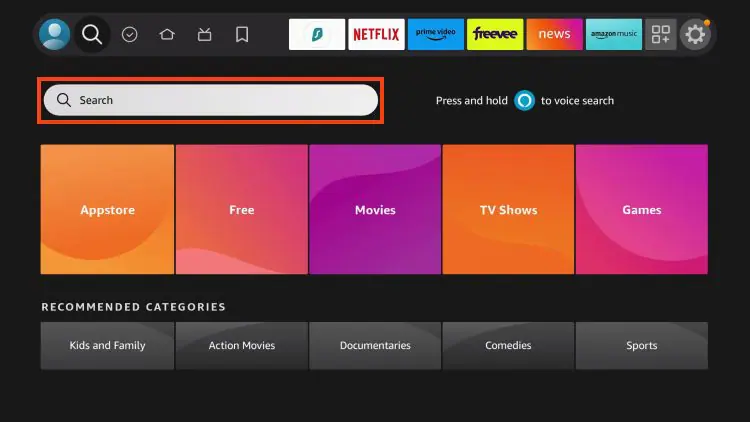
2. Type Downloader
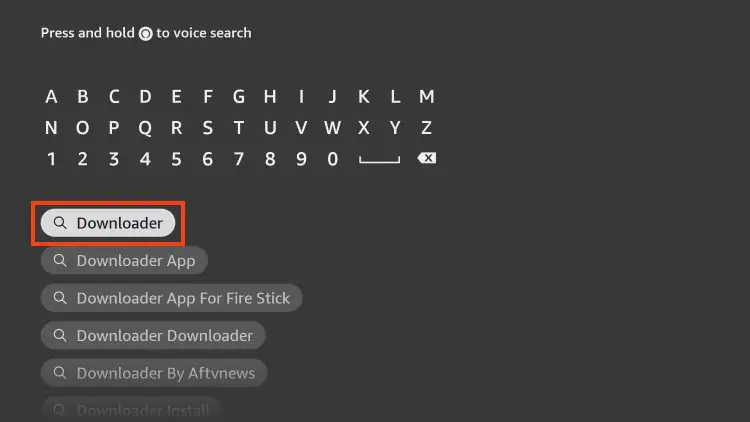
3. Select the Downloader app from the results
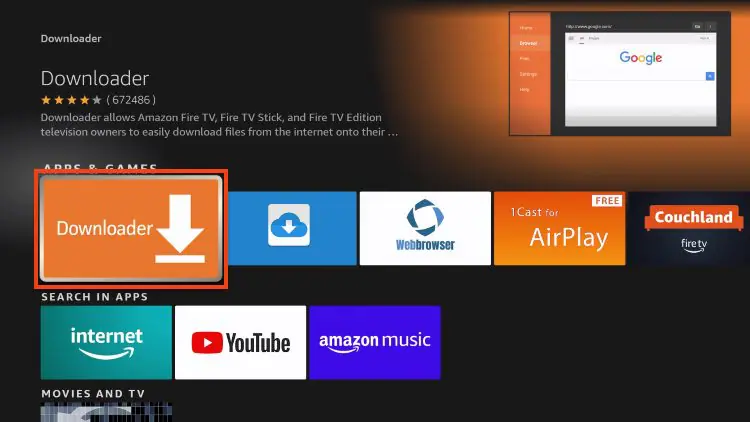
4. Click Download / Get
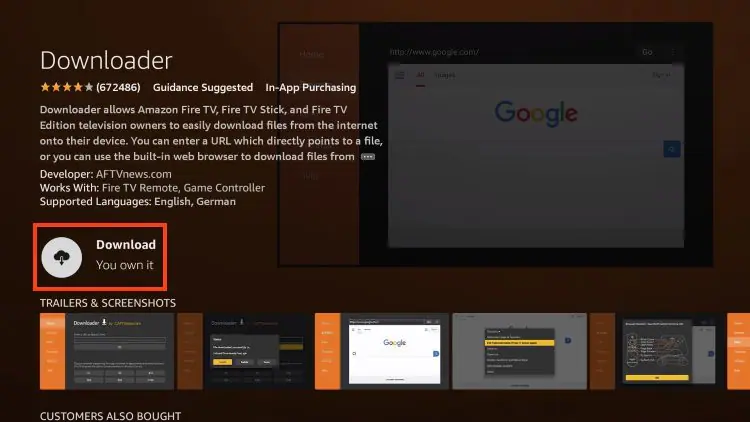
5. Wait for installation to complete
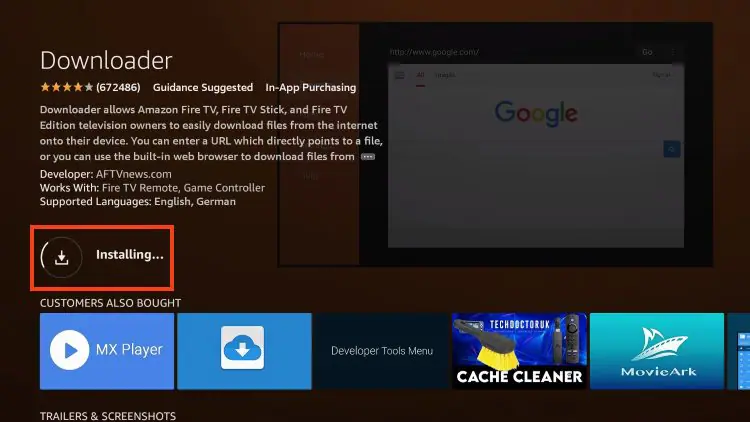
Once installed, Downloader will be ready to use.

Step 2 – Allow Apps from Unknown Sources

To install 8K Player VIP, Fire TV must allow third-party apps.

Enable Unknown Apps

1. Go to Settings → My Fire TV
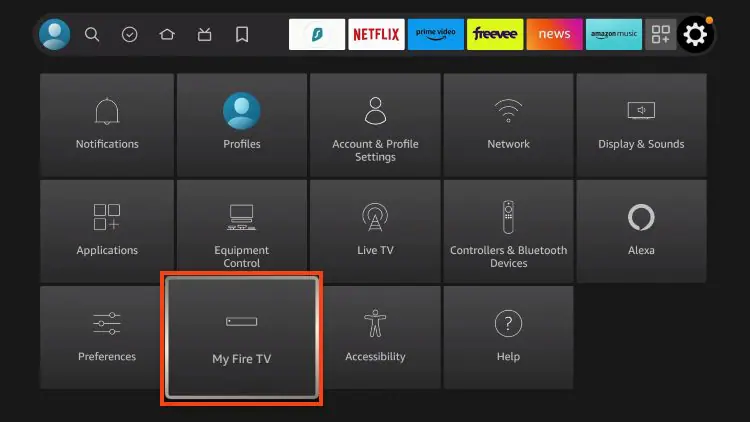
2. Open Developer Options
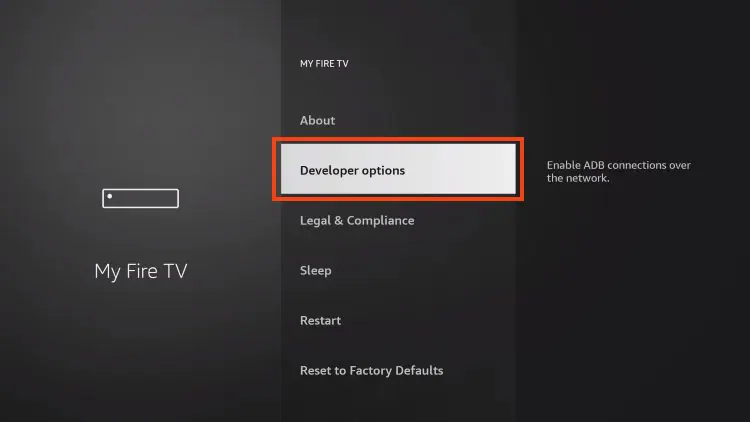
3. Select Install Unknown Apps
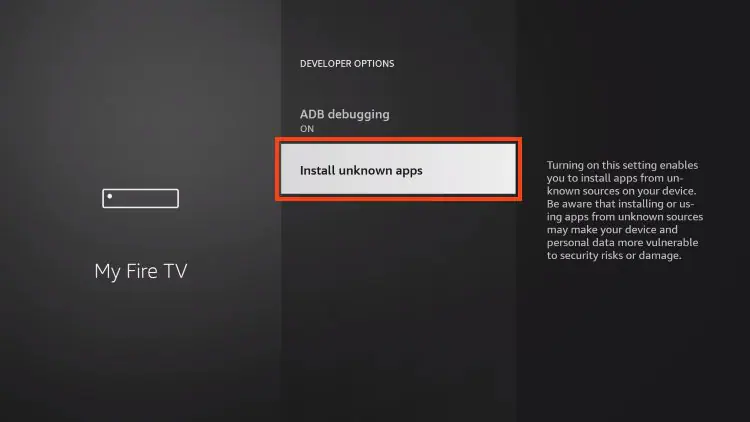
4. Turn Downloader → ON
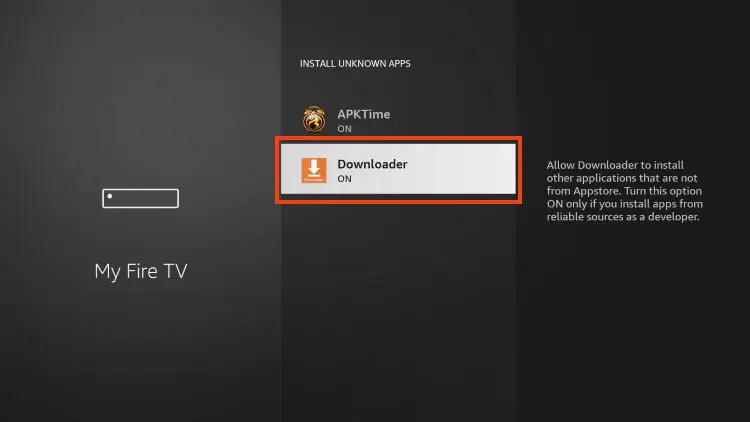
Your Firestick can now install external IPTV apps.

Step 3 – Download and Install 8K Player VIP

Now you’re ready to install the app.

Installation Steps

1. Open Downloader
2. Select the URL field
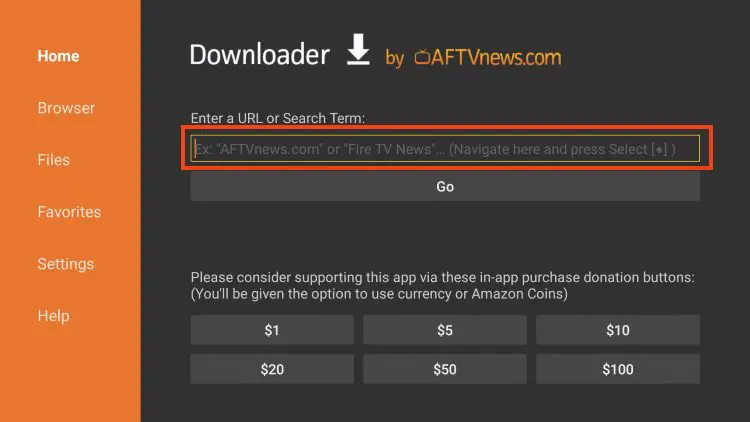
3. Enter this download code:
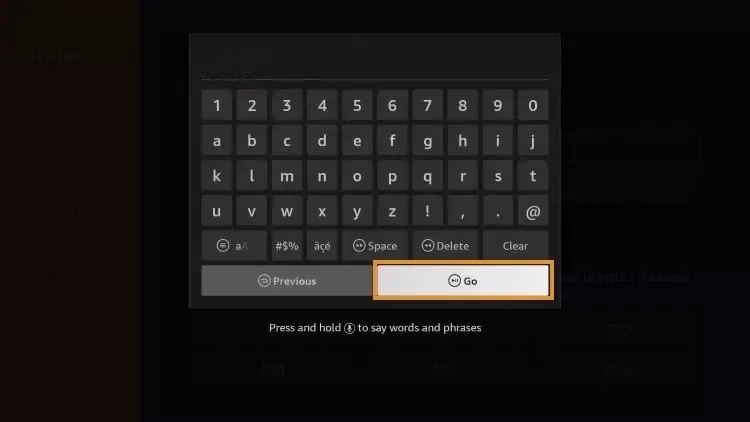
				
					439873


4. Click Go

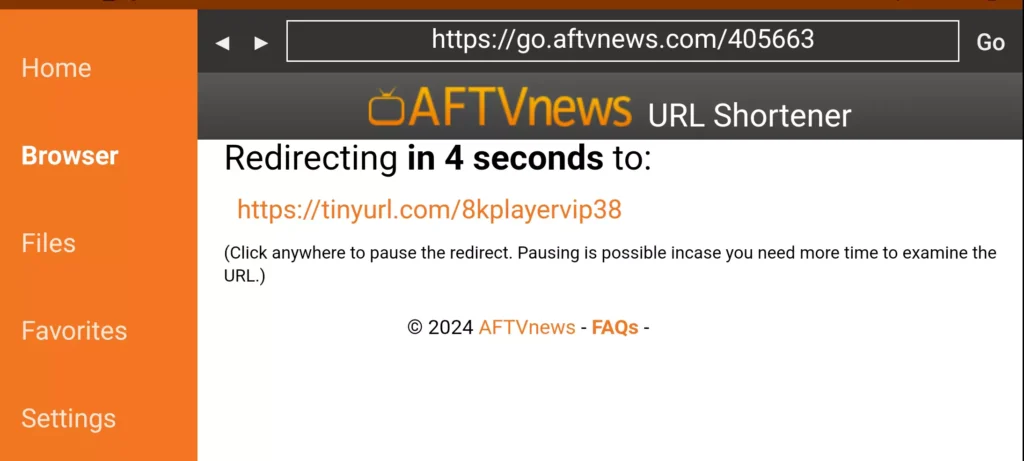
5. Wait for the redirect page (4–6 seconds)

6. If needed, click the download link manually
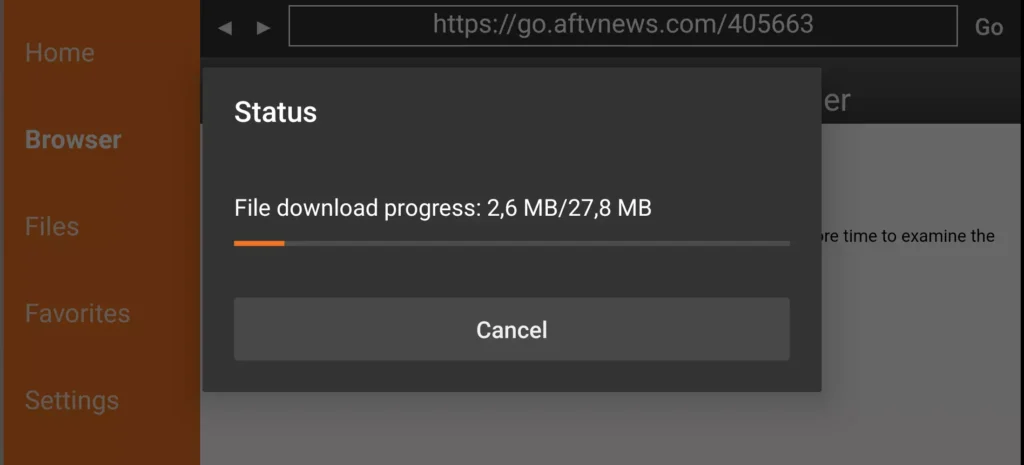
7. Wait for the APK to finish downloading
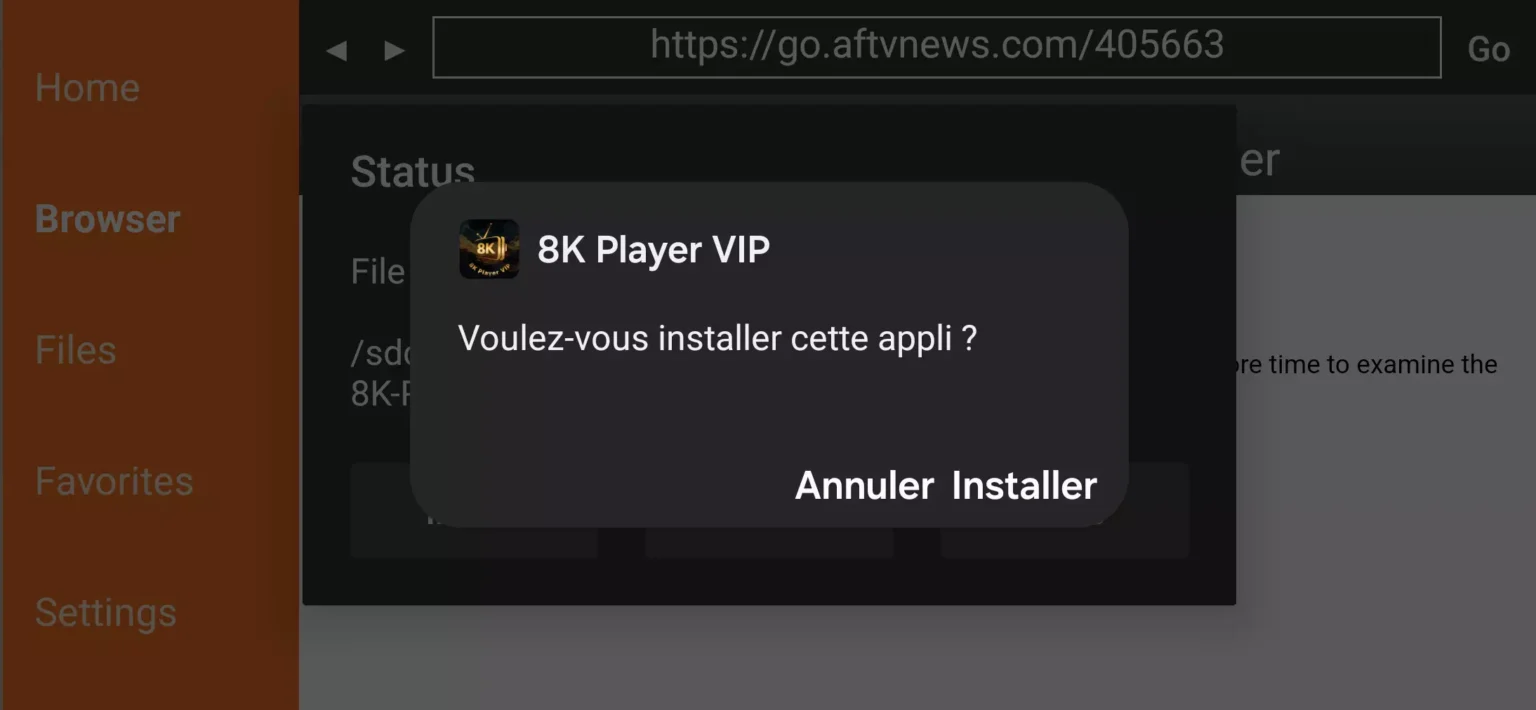
8. Select Install

8K Player VIP is now installed.

Step 4 – Configure IPTV in 8K Player VIP

After installation, open the app to add your IPTV account.

Setup Instructions
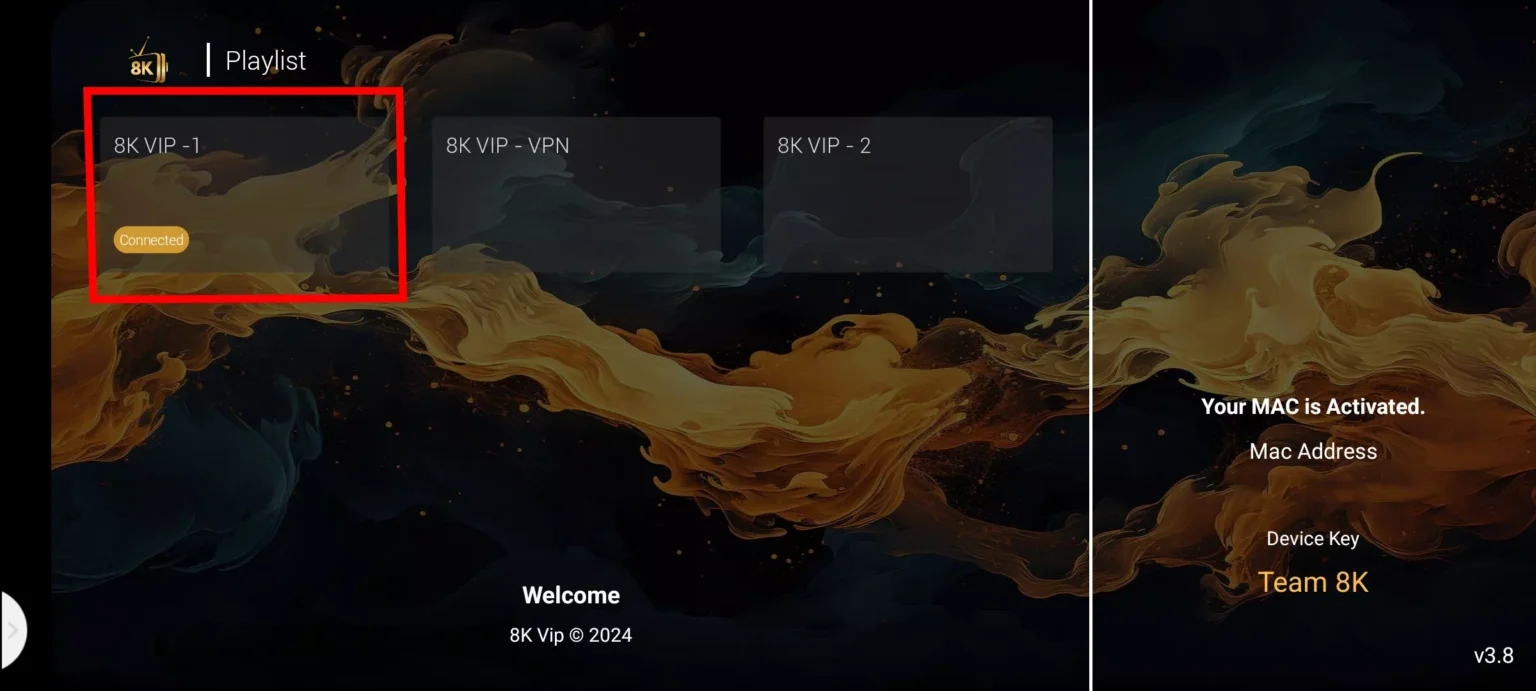
1. Select 8K VIP
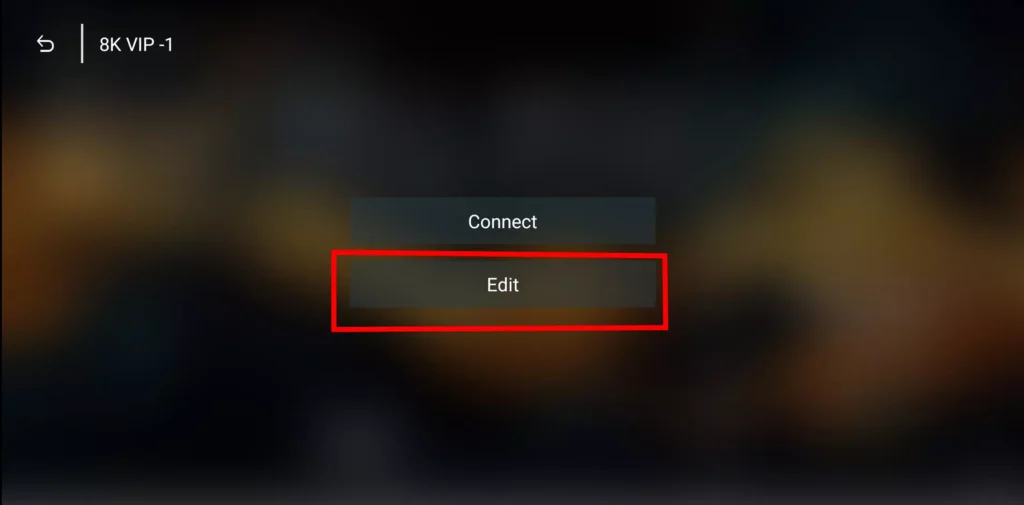
2. Click Edit
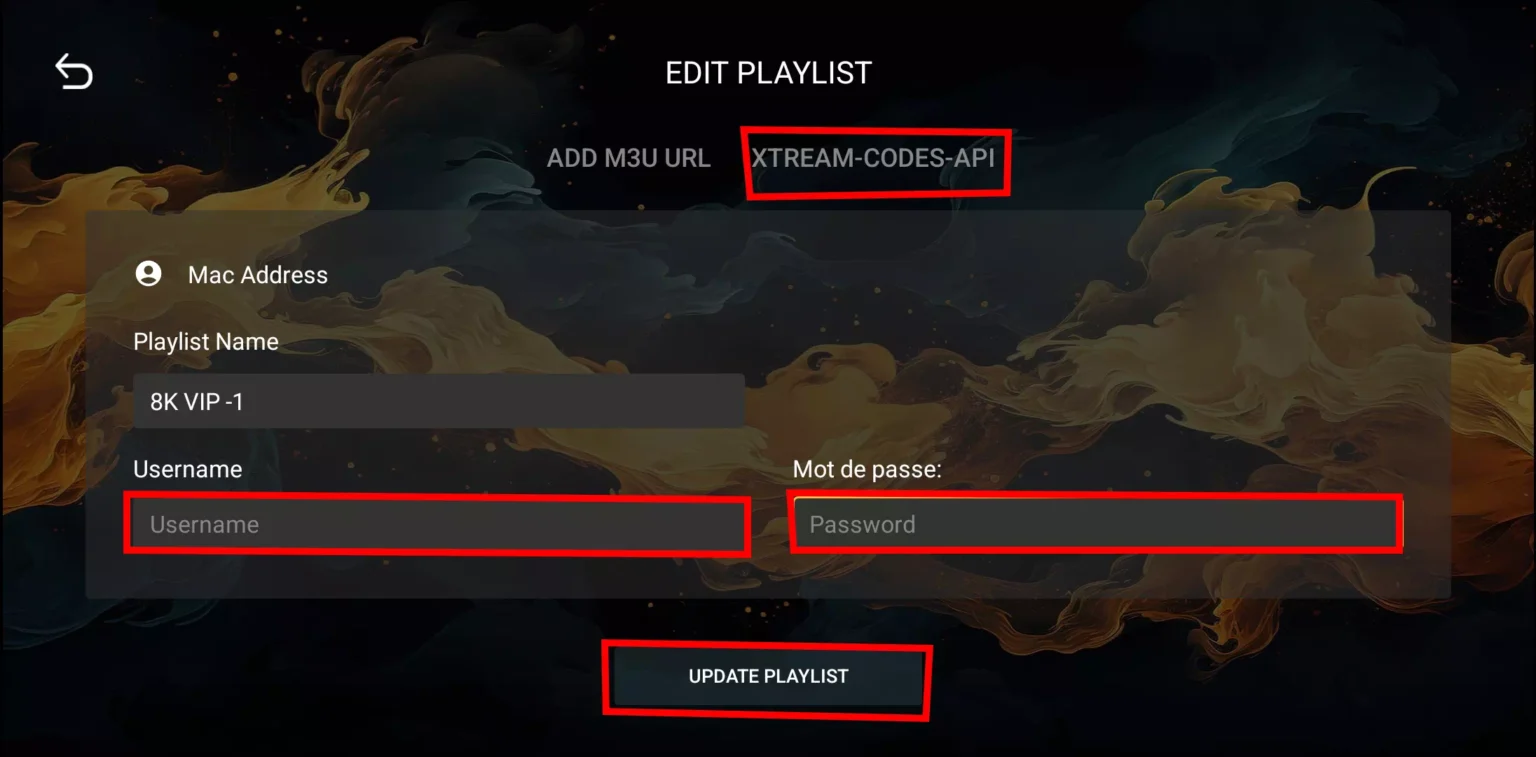
3. Enter your IPTV details:

    • Playlist Name

    • Username

    • Password

4. Press Update Playlist

If you don’t have a subscription yet, you can activate one and receive login credentials instantly.

Why Use 8K Player VIP?

8K Player VIP is a lightweight and optimized IPTV app designed for smooth streaming on:

  • Fire TV Stick

  • Android TV

  • Google TV

  • Chromecast

It functions as an:

  • 8K IPTV player

  • 8K video player

  • 8K media player

And supports:

  • Live TV

  • Movies

  • Series

  • VOD libraries

The interface is simple, fast, and stable even on older Firestick models.

Common Problems & Quick Fixes

App won’t install

  • Make sure Install Unknown Apps is enabled

  • Restart your Firestick and retry

App opens then closes

  • Go to: Settings → Applications → 8K Player

  • Select Clear Cache

  • Reinstall the latest version

Channels not loading

  • Double-check IPTV login details

  • Verify your internet connection

  • Restart router and Firestick


Kostenlose IPTV-Testversion anfordern

Geben Sie Ihre E-Mail-Adresse ein, um eine kostenlose IPTV-Testversion anzufordern
Sie erhalten eine Bestätigungs-E-Mail zur Überprüfung Ihrer Adresse, bevor wir Ihnen die Testdetails senden.

Newsletter Form (#4)
Support
Live-Chat Online

Support & kostenlose Testversion

Kontaktieren Sie uns für Technischer Support
oder um einen kostenlose IPTV-Testversion.

WhatsApp-Support
Schneller Support
Telegram-Support
Schneller Support
Live-Chat
Schneller Support
E-Mail-Support
Langsamere Antwort